LinkedIn: Reboot
I’ve always thought of Facebook as the first major social media platform as we define “social media” today. It launched my freshman year of college, when you needed to have a verified college email address to set up an account. I was surprised to learn recently that LinkedIn actually preceded Facebook by one year.
I’m not sure when I joined LinkedIn, but I’ve never been an active user unless I am looking for a new job. I maintain a simple profile with my work experience. I only post when there’s something exciting to share, like a new job, recent event attended, public speaking opportunity, or published story. Self-promoting.
Here I am again, looking for a new job, spending a lot of time on LinkedIn but only seeing a small return on my time investment. Is it worth it, or is it a necessary evil?
I’ve increased the number of connections that I have in my local market and outside of my previous employer.
Most of my connections are still with my last employer. However, my number of profile views outside of my network continues to grow.
I know this from basic analytics. I do not have LinkedIn Premium.
I try to post at least once per business day, but I don’t see any patterns or correlation between topic, content type, length, tagging, time of day, day of the week.
I have observed that profile views, messages, and connection requests come from commenting on other people’s posts. Especially if the author is outside of my network, like a 2nd or 3rd connection. The comments that keep the conversation moving drive the most traffic to my profile: just like a conversation at an in-person networking event.
The formula: My first reaction + what I liked or disagreed with + an open-ended question = comment from someone new and a connection request.
LinkedIn is a powerful tool. Recruiters use this, and others when they are referring you to a friend with an open position. They send the link to your LinkedIn profile.
It is your online resume: work experience, key functions.
Posts are part of your brand. Demonstrate your interests, your expertise, your connections in the community.
Recommendations celebrate your skills and contributions.
It’s been 10 years since I’ve been on the job market, and the platform has added new features that seem to be similar to a resume format optimized for review by an AI-driven applicant tracking system (ATS). I haven’t enabled those features yet. When I try to update my LinkedIn profile, I hit the same mental block that I do when I try to update my resume. But as I test these new features, I’ll post. Updating my LinkedIn profile is my goal for this week.
Remember: You can always make changes. Nothing is permanent.
Before you get started: Update your settings
It is worth your time to go through Settings and review each category. Go to your profile picture in the top navigation bar and click “Settings & Privacy.” In individual sections, click the “pencil” icon in the upper right corner of each section.
You will be customizing:
What people can see
Who can see it
What is automatically shared to your network connections, like profile updates or course completions
If people can tag you in their posts or comments - I recommend this because it increases your visibility
Basic profile elements
Keep all information in the top section up-to-date at all times.
Headline
Contact info
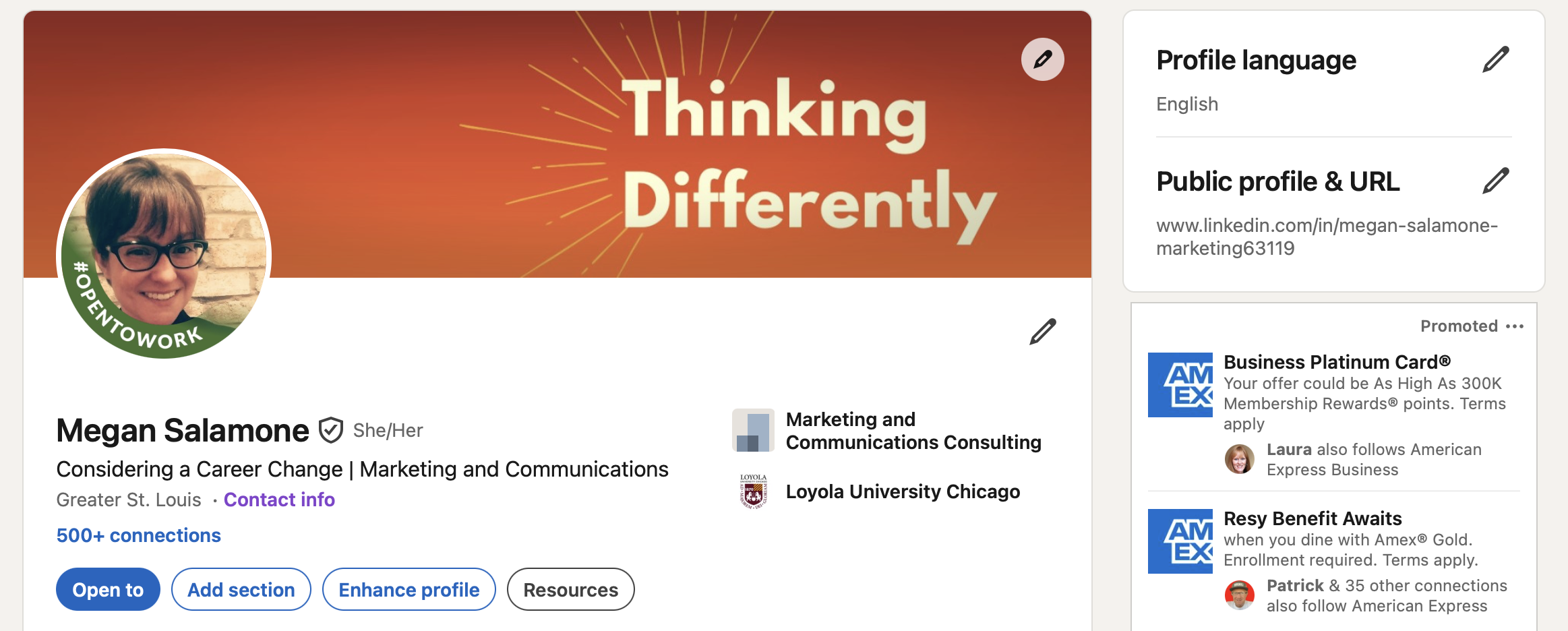
Picture: Be professional. You don’t need a professional photographer; you only need a friend and good lighting. And the picture needs to look like you. If your hair is dark in your picture but you are now fully gray, someone that you are meeting for the first time won’t recognize you.
Background image: A solid color or one of the basic banners provided by LinkedIn is totally fine. If you would like to create your own banner, I recommend downloading Canva and setting up a custom image for 1584 x 396 pixels.
Give yourself plenty of margin: the space on the top, bottom, and sides. The placement of the profile picture over the banner makes it tricky, so keep your content right-aligned.
Any of the text on that image cannot be read by a screen reader. Any text you put in this image needs to be included in the body of your profile.
Upload the banner to your profile to see how it presents on desktop, tablet, and mobile. If you need to make changes, you can make them in Canva, save to your local files, and upload the modified file again.
Update your headline.
This is the statement below your name. When someone searches for you, they see your profile picture and your headline.
There isn’t a prescribed formula for your headline. It doesn’t have to include a job title. It’s your opportunity to describe yourself in quick words using less than 220 characters (letters, spaces, and punctuation).
Look at friends’ profiles or others in your target roles. What are their headlines?
Using the “pipe” or “vertical slash” | is a best practice to separate keywords.
On most keyboards, this is in the upper right corner underneath the “delete” button and above the “return” button, and it is usually paired with the back slash: \
Hold down the “shift” key and hit that button, then you have that “pipe” |
Customize your public profile’s URL. This helps with searchability and makes it easy to remember the link. This is on the right side of your profile, in line with your background image and below “Profile language.” Click the pencil icon to update.
If you reference LinkedIn in other places, like on your resume, you will need to update those links to the new URL.
Complete “Open to.”
This button is found underneath your name and headline.
This is where you opt-in to get the green “Open to work” banner around your profile picture.
“About Me”
This is your “branding statement.”
The concept of a “branding statement” is complicated. Basically: how would you describe yourself and the value you provide in a professional setting.
Keep it concise and keyword-driven. You have 2,600 characters available but only 200 will be shown before the “See more…” prompt appears.
The summary statement that you use on your resume can be helpful here, but you have the flexibility to elaborate. Just make sure it sounds like you.
As for me…where I struggle
My headline is intentionally vague for now. I want to stay in a marketing or communications function. However, I am open to new industries. In fact, I’d prefer something new. I’m brainstorming how I can use my skills in a way that can’t be replaced by AI yet, like sales and customer service.
I struggle the most with a branding statement. I have tactical skills that provide value, but what really sets me apart are my social skills. My ability to join a team seamlessly, address and resolve conflict with successful outcomes, and create a team environment where one didn’t exist before.
In my opinion, marketing and communications are fields that are only understood by the people who work in them. And the key to success is the ability to “not know.” “Knowing” has preconceived notions.
Marketing and communications are actually two separate fields. A successful marketer or communicator is not industry-specific. A talented marketer or communicator can be plopped down anywhere and they will learn about the problem, research the problem, create a solution, work with the client to modify that solution, execute, monitor the data, study the consumer reaction, pivot, keep studying and discussing, keep adjusting, and evaluate success at the end of the established time period to determine if the need still exists or if it’s uncovered new needs to address.
I drafted my “branding statement” quite a few years ago, and it’s served me well so far. “My passion is people: reaching out to others, determining their needs, and developing solutions to meet those needs.”
I use this statement because I wouldn’t say this more specific statement when I met someone, but it’s an accurate statement: “As a marketing and communications specialist, I use words, images, and experiences defined in a multimedia strategy leveraging digital, audio, video, and print to elicit emotional responses, positive or negative depending on the desired outcome, and measure that effectiveness through data analysis.”
